
![How to Migrate from BigCommerce to Magento [Video]](http://www.shopping-cart-migration.com/wp-content/uploads/c2c_blog_featured1.png)
Nowadays a lot of store owners prefer Magento to BigCommerce. The main reason is Magento’s multi-functionality. It offers all main product management features, advanced marketing and SEO tools, numerous payment and shipping options. Thats why e-merchants make a decision to move their stores from BigCommerce to Magento.
Cart2Cart is fully automated migration service, which will help you to perform BigCommerce migration. All you have to do is to follow straightforward wizard instructions.
Stage #1. Registration
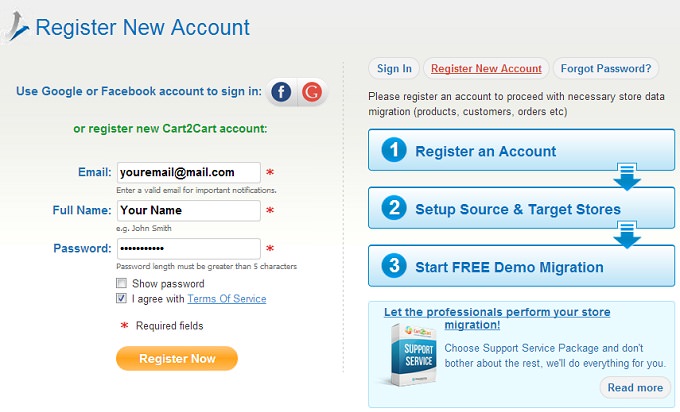
To start migration you don’t have to download any software. All you have to do is to register an account or sign in with your already existing Google or Facebook profile.
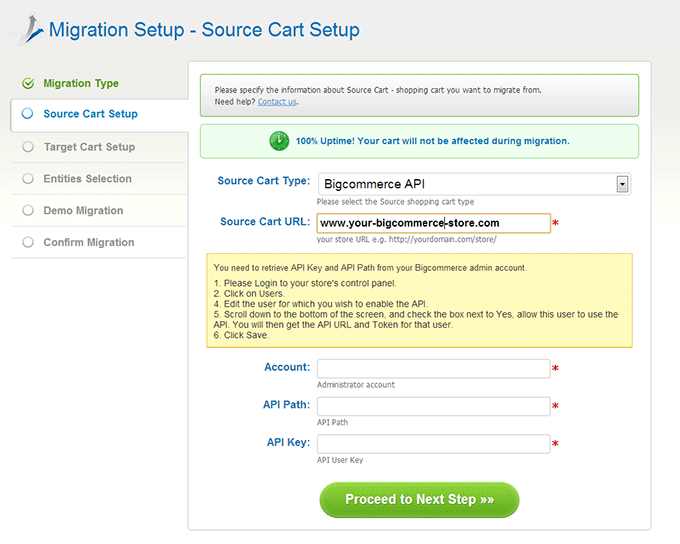
Stage #2. Source Cart Setup
Firstly, you have to pick BigCommerce from the drop-down menu and paste online shop’s URL. For a smooth transition, consult our BigCommerce Migration Checklist. After that, you need to login to store’s control panel and click on Users. Here, you have to edit the user for which you wish to enable the API. Then you have to allow user to use the API by putting a tick in an appropriate field. After that, you will get the API Key and Path for this user. Copy and paste this information and save the result.
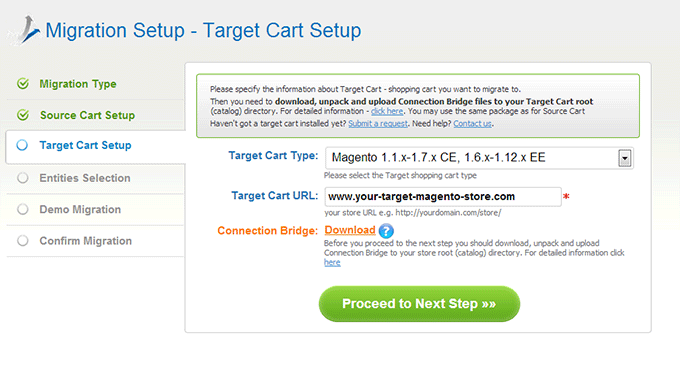
Stage #3. Target Cart Setup
On this step, you have to provide information about your Magento cart. Choose Magento version from the list and enter web store’s URL. After that, you should download a Connection Bridge to your computer and unpack it. Then upload a file to the store root directory. In a case, you face some troubles while bridge installation process, follow a corresponding guide.
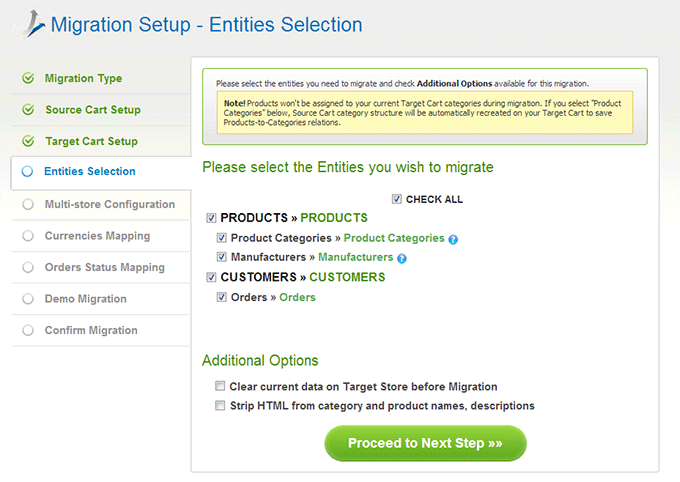
Stage #4. Pick Entities
At this point, Cart2Cart provides an opportunity to select store entities you would like to shift to Magento store. Here, it is also possible to choose additional options, such as our Premium Data Migration Service.
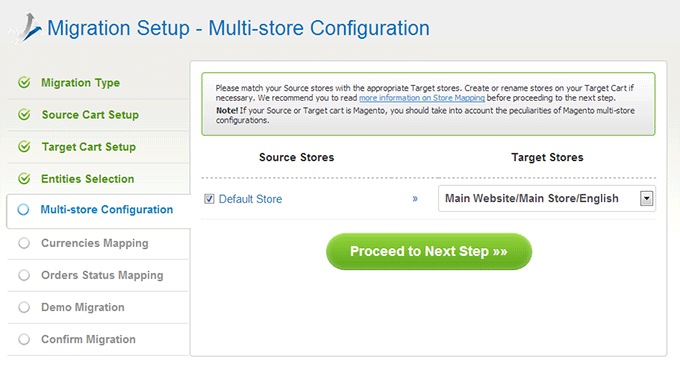
Stage #5. Multi-store Configuration
On this step, you are able to map source and target stores.
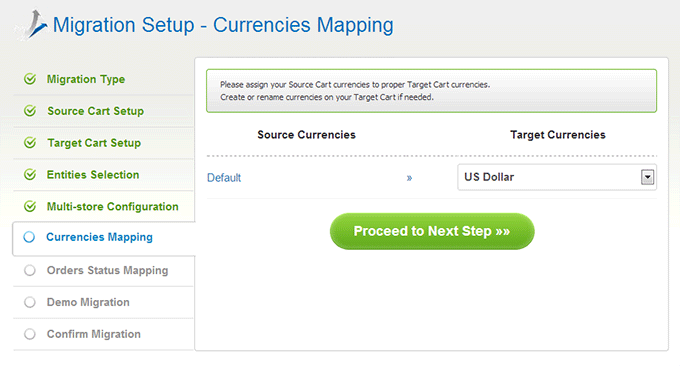
Stage #6. Currencies Mapping
Do you use several currencies to sell products on you source BigCommerce store? Cart2Cart offers a possibility to transfer them, as well.
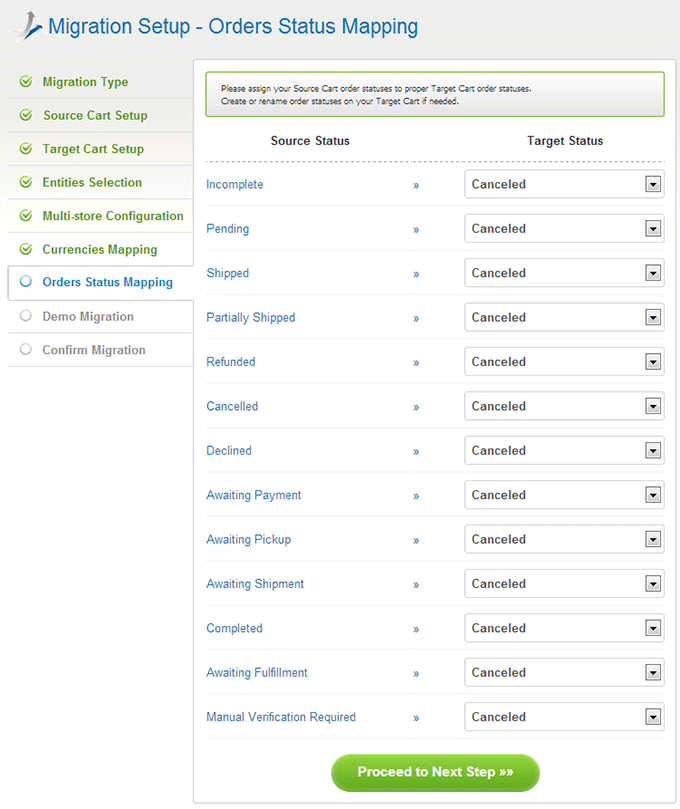
Stage #7. Order Statuses Mapping
In a case, you’ve selected to move your orders, here you will be able to map order statuses. If you can’t find an appropriate order status, enter admin panel and create a new one.
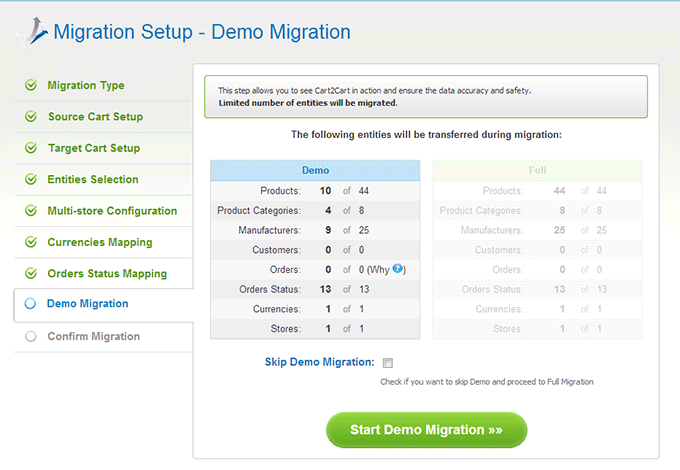
Stage #8. Start Demo Migration
Totally free Demo Migration will help you to understand how the service works. You may skip this step, but it is highly recommended to perform Demo. Furthermore, it will take you only a few minutes.
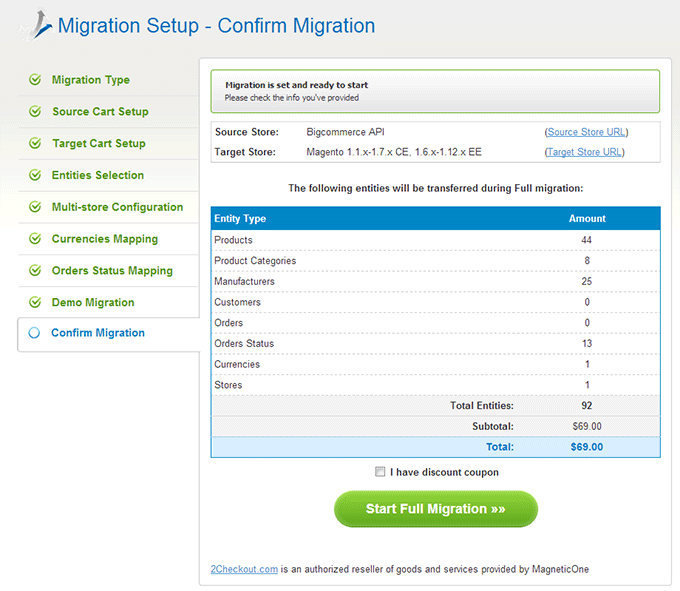
Stage #9. Confirm Full Migration
The last thing you have to do is to confirm Full Migration. Before you press Start Full Migration, double check entities you wish to transfer.
After data transferring is completed, login your admin panel and check migration results. Now you are ready to sell products on Magento store. For comprehensive post-migration guidance, explore our post-migration tips.
Monthly Update – March 2026
As we step into March 2026, the focus for e-commerce store owners should be on optimizing their Magento platforms for spring and upcoming seasonal sales. This month, consider implementing advanced inventory management strategies to prepare for increased demand, ensuring smooth order fulfillment. Review your product catalog for opportunities to enhance descriptions with seasonal keywords and high-quality imagery, directly impacting SEO and customer engagement. Furthermore, analyze your customer segmentation to tailor marketing campaigns more effectively, utilizing Magento's native capabilities or integrated CRM tools. With privacy regulations continually evolving, conduct an audit of your data handling practices to ensure compliance and maintain customer trust. Explore new extensions or modules that can further streamline operations, such as enhanced analytics or improved checkout flows. Prioritize performance optimization, including caching improvements and regular database maintenance, to guarantee a fast and responsive shopping experience, especially on mobile devices. A well-optimized Magento store will not only capture seasonal sales but also build a resilient foundation for long-term success.
For more details, explore our FAQ section or schedule a call with a migration expert.



