
Adobe acquired Magento in 2018 for $1.68 billion. Magento immediately announced that as of June 2020, it would stop doing product updates, security patches, and offering customer support for Magento 1. This end-of-life status has long since passed, prompting many store owners to transition to other platforms. Many are choosing to move to BigCommerce. BigCommerce is well-established in the e-commerce market, with hundreds of thousands of websites using it.
Magento (Adobe Commerce) to BigCommerce migration is a simple 4-step process with Cart2Cart. This migration tool allows you to securely transfer data from Magento, including products, customers, orders, categories, and other records, to BigCommerce in a 100% secure way. You can also customize the migration to fit your specific business needs. The process preserves all your order IDs and SEO, ensuring a seamless transition while keeping your store data secure.
Table of Contents:
Magento to BigCommerces migration
What is Magento to BigCommerce Migration?
The eCommerce migration is the transfer of data like products, customers, orders and more from your current Magento store to the new BigCommerce one. It consists of a few simple steps if done in automated manner, takes only a couple of hours and requires no tech skills.
With Cart2Cart it’s a four-step procedure to migrate Magento (Adobe Commerce) to BigCommerce. The migration process with preserve your order IDs and SEO, and move all your store data safely.
Pre-Migration Tips
Prepare your Magento store
Use a backup plugin, or the backup from your hosting service.
-
- Audit your Magento store data. Consider also reviewing the Magento Migration Checklist.
Determine which Magento store data you want to keep, replace, or delete.
Prepare your BigCommerce store
-
- Get your BigCommerce store ready.
Create a BigCommerce account and launch it online.
Choose a theme for your new store
- Choose a default theme for your BigCommerce store.
Magento to BigCommerce Migration
Set up Magento to BigCommerce data transfer by first configuring the Source cart and then specifying the Target cart.
Need Help To Migrate Your Store?
We can securely migrate your products, customers,
and orders to ensure continued growth on the new site.

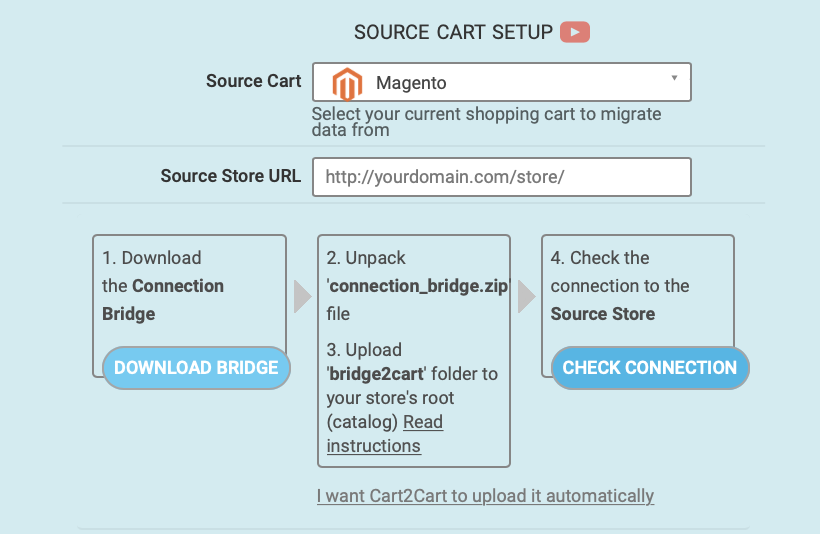
Set up the Source cart
Select Magento as the Source cart from the pop-up menu and enter the store’s URL.
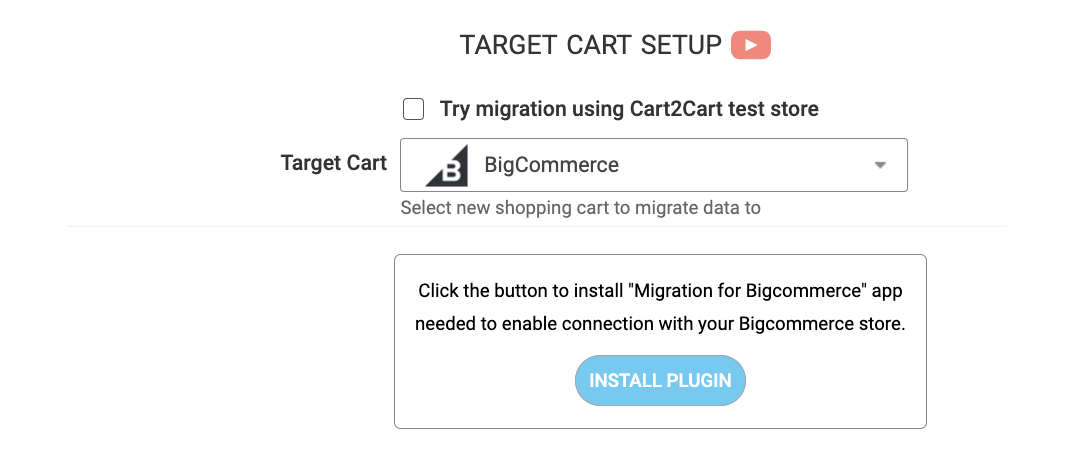
Specify the Target cart
Choose BigCommerce from the drop-down list and click the “Install Plugin” button and provide your store’s URL.
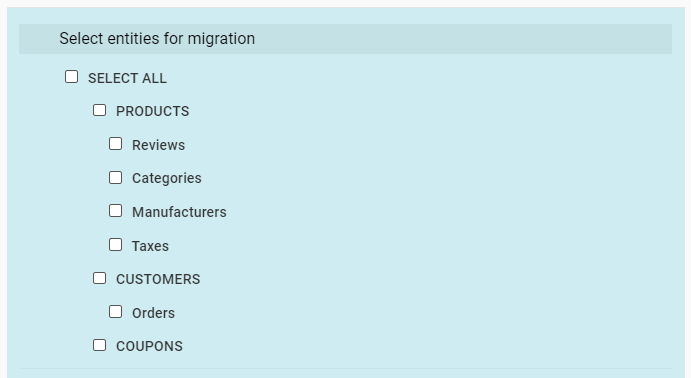
Select data for migration
Specify the store entities that must be transferred to your new store. You can transfer orders, customers, products and product categories, manufacturers, coupons, reviews, and CMS pages.
Specify migration extras
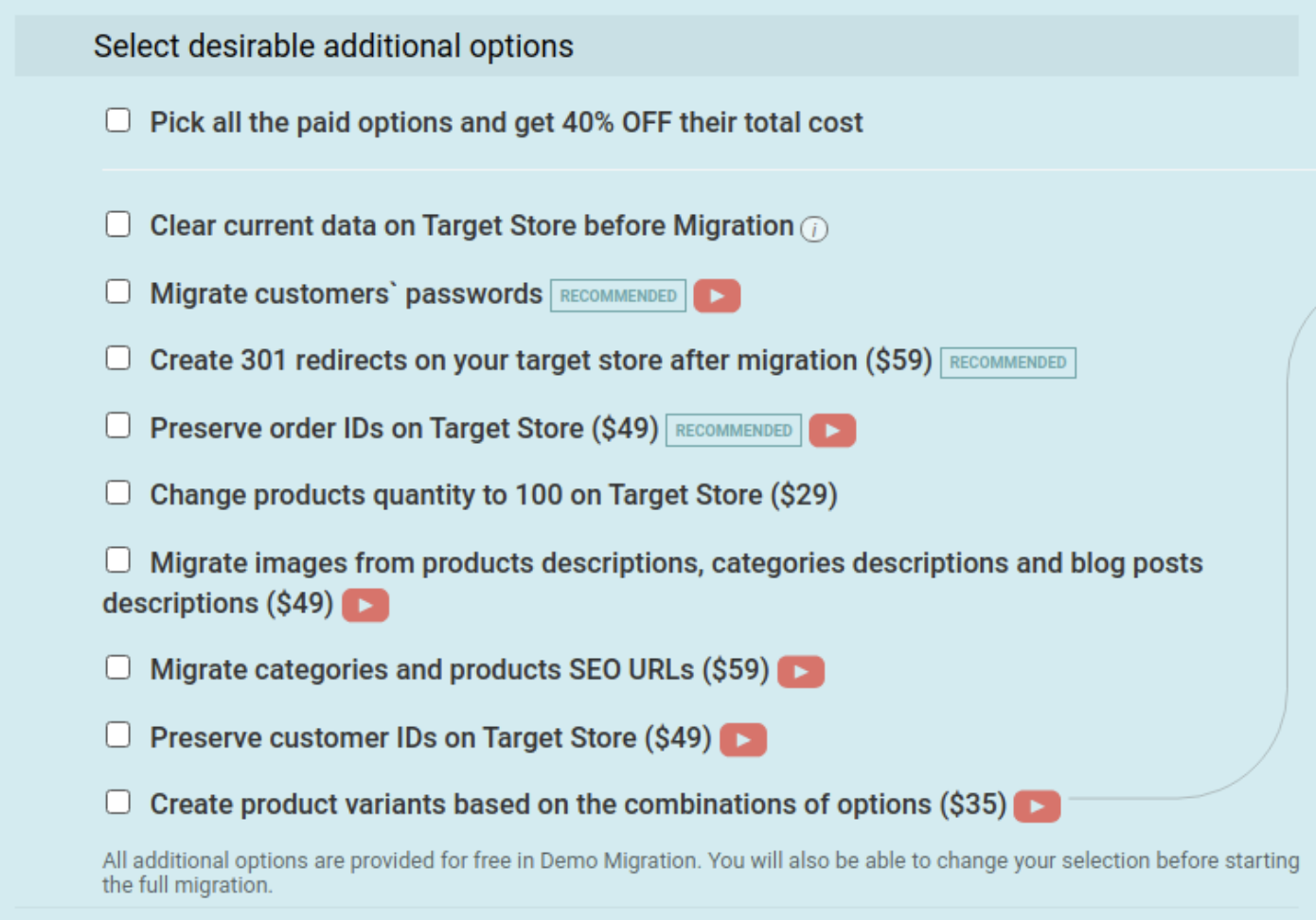
Cart2Cart offers many migration extras, including 301 redirects or preservation of the product, customer and order IDs on the Target Store and more. This makes the transfer more complete.
Map customer groups & order statuses
Match your Magento order statuses and fulfillment statuses to the corresponding ones on BigCommerce.
To test everything, run a free Demo migration. For this, first transfer 10 products within 30 minutes so you can check that the new platform is suitable for your needs.
Start Full migration
Click the Start Full Migration button to initiate the Full Magento database transfer to your new BigCommerce store. Wait for it to finish and then check the migration results.
FAQ
Why should I migrate from Magento to BigCommerce?
Migrating to BigCommerce offers several advantages, including a user-friendly interface, lower maintenance costs, and robust built-in features. Unlike Magento, BigCommerce is a SaaS (Software as a Service) platform, eliminating the need for extensive server management and technical expertise. This allows businesses to focus on growth rather than technical upkeep.
Will I lose my data during the migration process?
No, a properly planned migration ensures that all critical data, such as products, customers, orders, and categories, is transferred safely. Using professional tools or working with migration experts helps minimize the risk of data loss or inconsistencies. It’s always recommended to back up your Magento data before initiating the process.
How long does it take to migrate from Magento to BigCommerce?
The time required depends on the size and complexity of your store. Small and medium-sized stores can often be migrated within a few weeks, while larger stores with extensive customizations might take longer. Factors suchs as data volume, custom features, and design adjustments also influence the timeline. Collaborating with an experienced migration team can streamline the process.
Monthly Update – March 2026
As spring approaches, March is a prime time for BigCommerce store owners to pivot strategies and capitalize on renewed consumer interest. A key trend for 2026 involves leveraging AI-driven personalization tools to enhance customer experience. After migrating to BigCommerce, focus on integrating apps that offer dynamic product recommendations, personalized email campaigns, and AI chatbots for instant customer support. This not only boosts engagement but also converts browsing into sales more effectively. Additionally, review your inventory management for spring collections, ensuring popular items are well-stocked and fast-moving. Consider optimizing your site for mobile commerce even further, as a significant portion of spring shopping, especially for outdoor and travel-related items, occurs on smartphones. Analyzing your post-migration analytics for early spring sales data can provide valuable insights into evolving customer preferences and seasonal demands, allowing you to fine-tune marketing efforts. Ensuring your BigCommerce store is agile and responsive to these shifts will be crucial for maintaining a competitive edge throughout the year.
For more details, explore our FAQ section or schedule a call with a migration expert.



