General Questions

Why products are not displayed correctly on my PrestaShop store after migration?

Why are products not displayed correctly on my PrestaShop store after data migration?

If you've migrated your store to PrestaShop using a data migration service like Cart2Cart and your products aren't displaying correctly, the issue might be related to product combinations and the EAN13 field configuration.

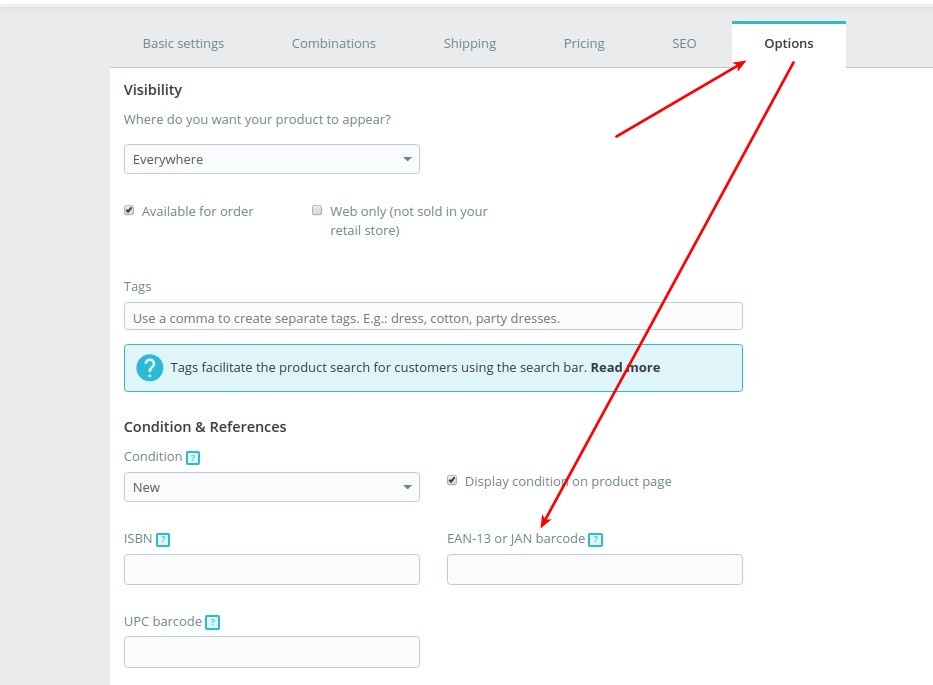
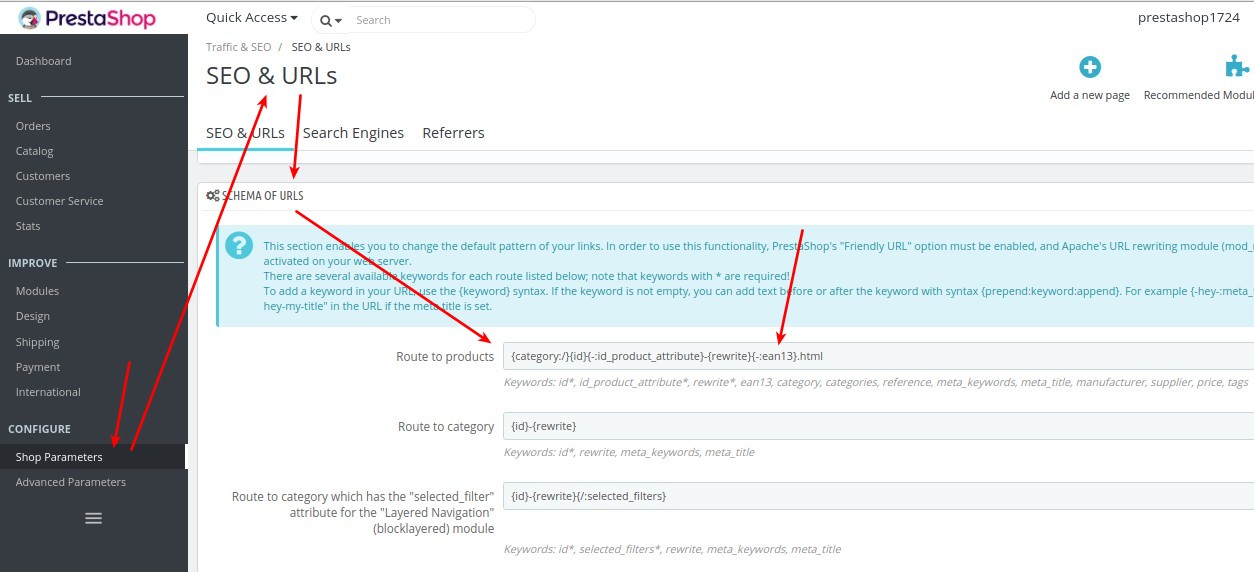
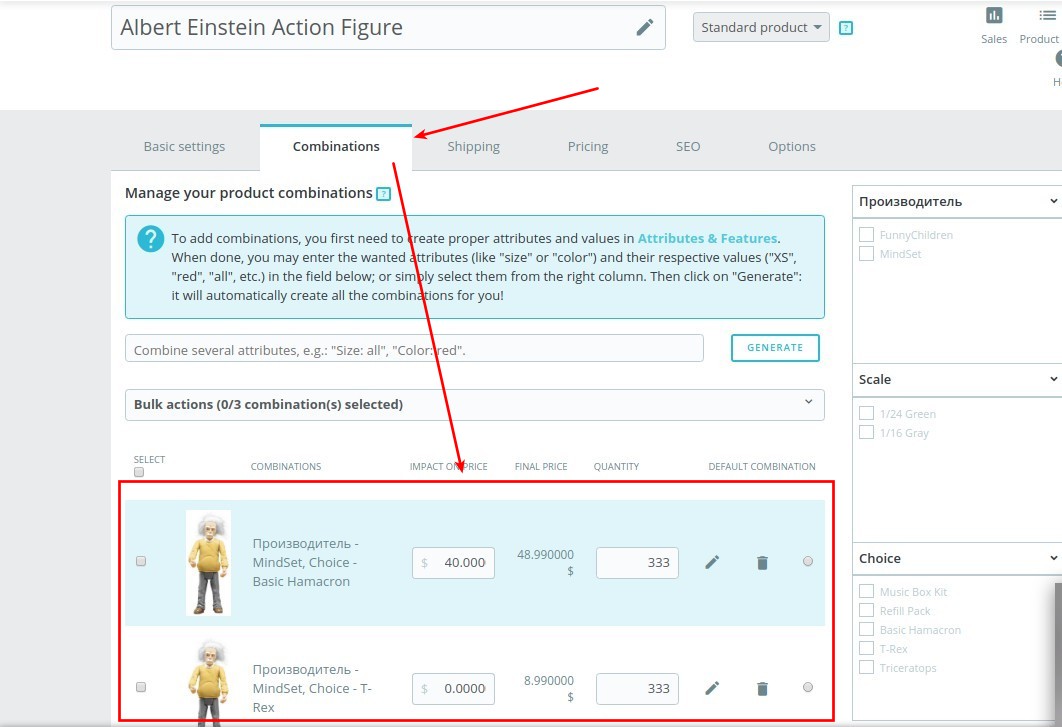
In case your products are associated with combinations, check if they have the EAN13 field populated. Then, verify if your PrestaShop store's configuration (under Route to Products) contains the field *{-:ean13}*.
PrestaShop product configuration after data migration

PrestaShop Route to Products settings after data migration

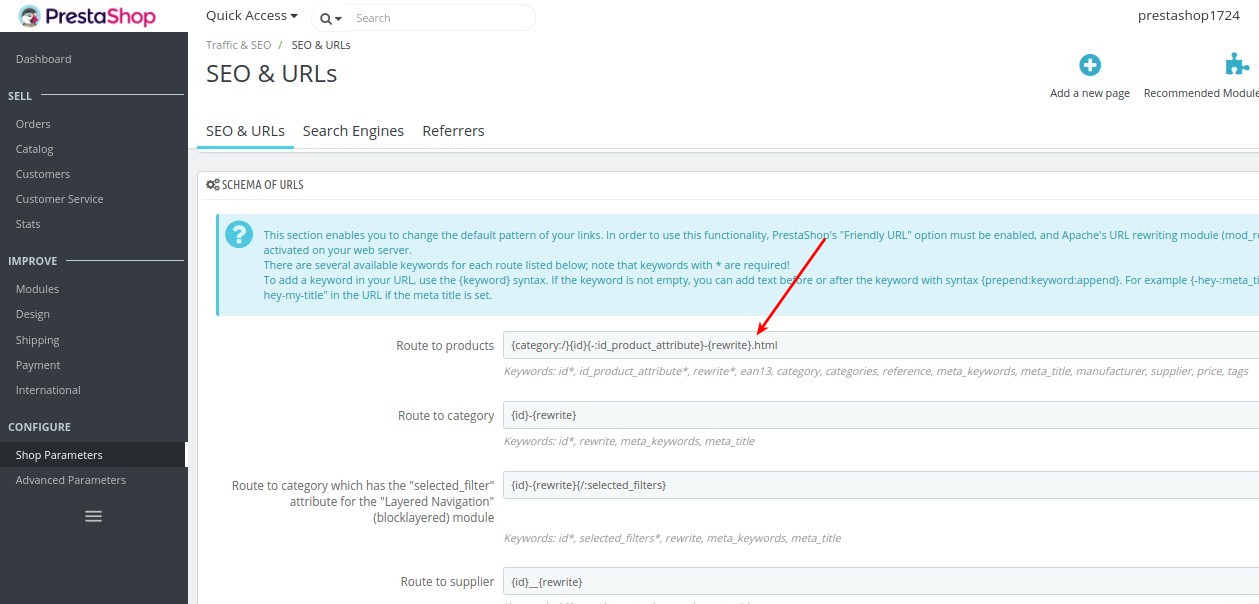
If the *{-:ean13}* field is present in the Route to Products configuration, it's recommended to remove it. This adjustment can resolve the display issues and ensure your products are shown correctly on your PrestaShop store after the data migration.

Removing EAN13 field in PrestaShop Route to Products after data migration

Final PrestaShop Route to Products configuration after data migration

By removing this field, PrestaShop will rely on other identifiers to display your products, which can prevent conflicts arising from the migrated data. This ensures a smoother customer experience and accurate product representation after your data migration.

If you're still encountering issues after making this change, Cart2Cart offers comprehensive support to assist you with your data migration process. Schedule a call with a Migration Expert or contact our support team via live chat for personalized assistance.

Ready to start your data migration? Start your free demo now!


Do you need help? Contact our support team

Just set up the migration and choose the entities to move – the service will do the rest.

Try It Free

Delegate the job to the highly-skilled migration experts and get the job done.

Choose Package