
How can we help you?
Yes, Cart2Cart automatically creates 301 redirects during migrations to and from Shopify. This ensures your customers and search engines are seamlessly directed to the new URLs on your Shopify store, preserving your SEO ranking and customer experience. To enable this feature, simply select the "Create 301 redirects on your target store after migration" option within the Migration Wizard.
How to Verify 301 Redirects After Shopify Data Migration
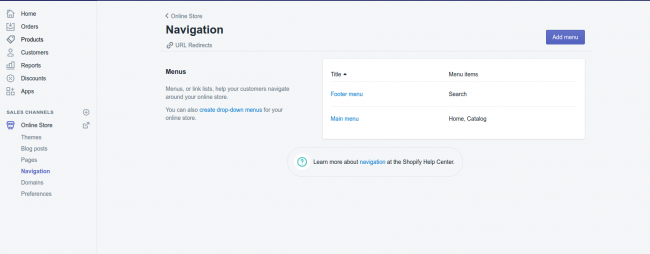
After the Shopify data migration, you can easily verify the newly created 301 redirects. In your Shopify admin panel, navigate to Online Store -> Navigation -> URL Redirects. Here, you'll find a list of all the redirects created during the migration process.
By implementing 301 redirects during your eCommerce platform migration, Cart2Cart helps you maintain your search engine rankings and prevent lost sales. Don't lose valuable traffic!
If you have any further questions or need assistance, please don't hesitate to contact our Support Team. You can also schedule a call with migration expert here.
Ready to migrate? Start your free demo now.
Do you need help? Contact our support team
Just set up the migration and choose the entities to move – the service will do the rest.
Try It FreeDelegate the job to the highly-skilled migration experts and get the job done.
Choose Package