
How can we help you?
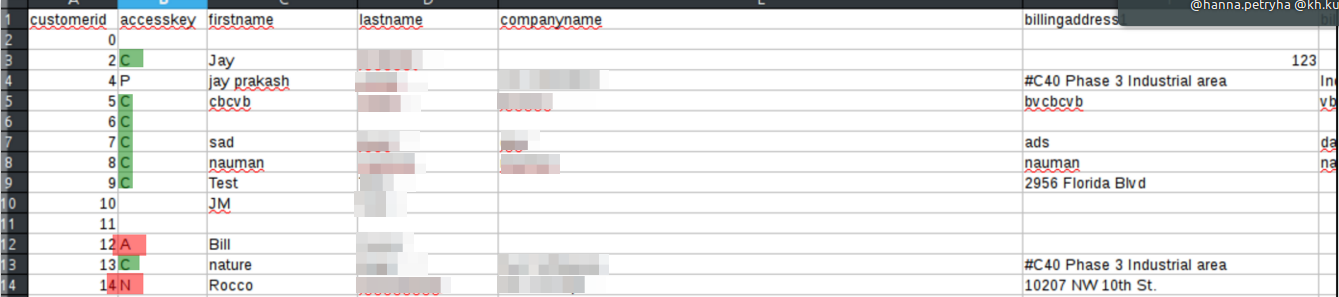
When migrating from Volusion with Cart2Cart, only users with Customer status are migrated automatically. In Volusion CSV user exports, that status is typically marked with C in the accesskey field. Other statuses (Partner, Admin, wholesale roles, etc.) are skipped in the standard automated flow.
What about orders from skipped users?
Orders are still migrated. Order records that belonged to skipped user types may appear without a matching customer account on the target, or linked according to Cart2Cart’s order-customer matching rules for your cart pair.
Need non-customer users too?
Ask Cart2Cart support or use a Data Migration Service Package if you must transfer Partners / other access levels as customers on the target.
Related: Why weren’t my Volusion customers migrated to WooCommerce?
Do you need help? Contact our support team
Just set up the migration and choose the entities to move – the service will do the rest.
Try It FreeDelegate the job to the highly-skilled migration experts and get the job done.
Choose Package