
How can we help you?
For Shopware 6 API migration with Cart2Cart, create an admin Integration and copy the access credentials into the Migration Wizard.
1. Log in to Shopware 6 administration.
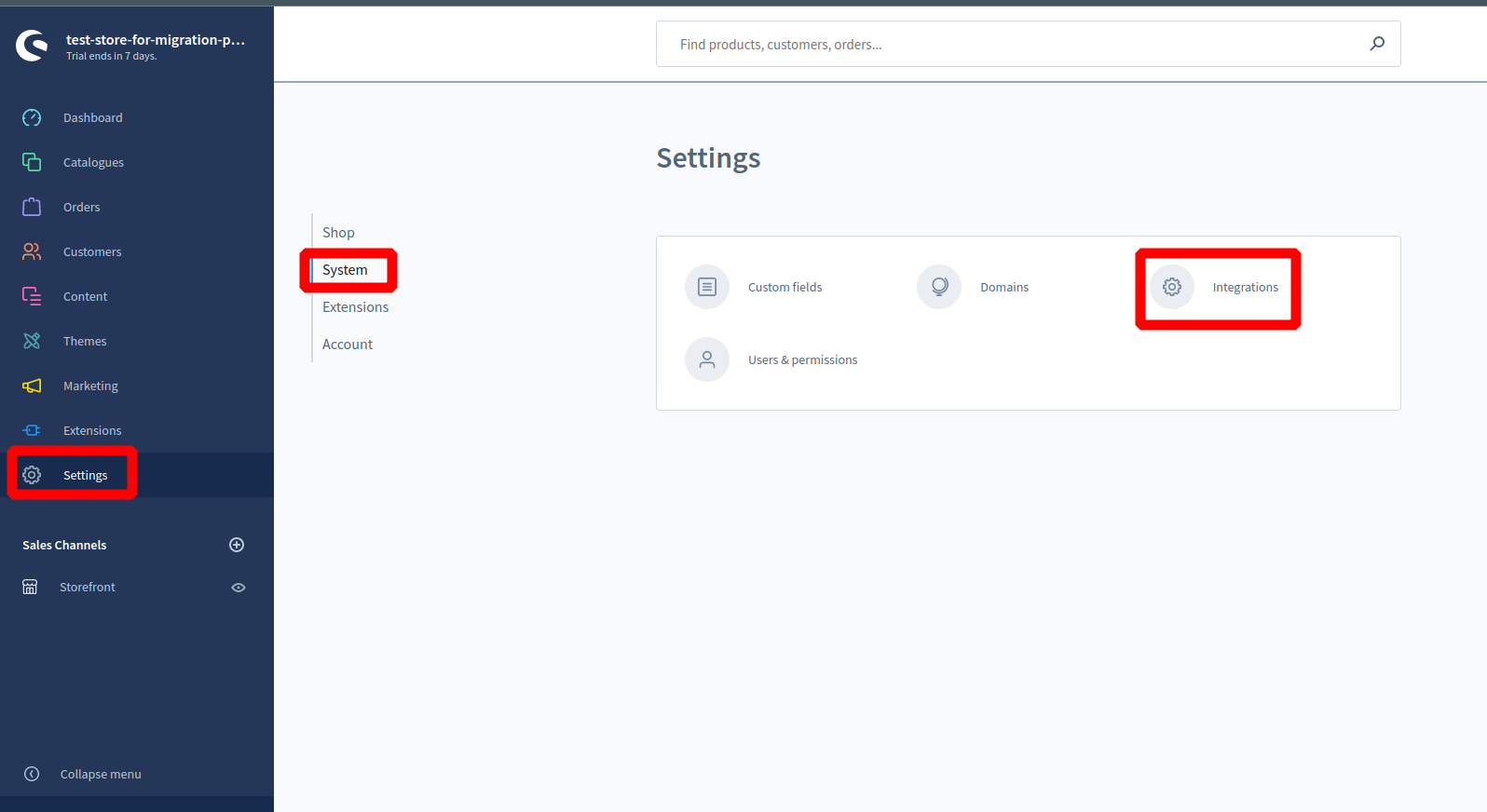
2. Go to Settings → System → Integrations.
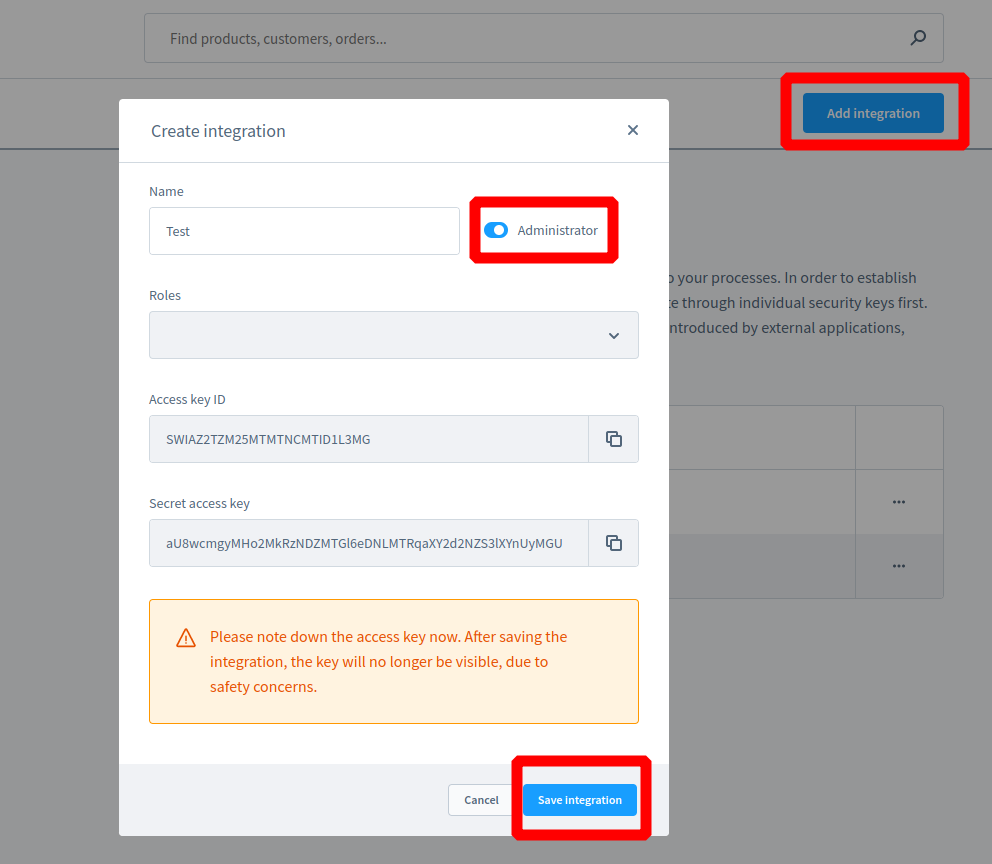
3. Click Add integration.
4. Enter a name (for example Cart2Cart Migration).
5. Enable Administrator (or grant roles covering catalog, customers, and orders).
6. Save and copy the Access key ID and Secret access key (secret is shown once).
7. Paste them into the Cart2Cart Migration Wizard together with your shop URL.
Shopware 5 uses different plugins/API modules—confirm your major version before connecting.
Do you need help? Contact our support team
Just set up the migration and choose the entities to move – the service will do the rest.
Try It FreeDelegate the job to the highly-skilled migration experts and get the job done.
Choose Package