
How can we help you?
Important: Yahoo Store / Yahoo Small Business / Aabaco have been discontinued. New stores cannot use that platform. Use this article only if you still have exported archives or a frozen snapshot from a former Yahoo Store.
For historical Cart2Cart migrations from Yahoo Store:
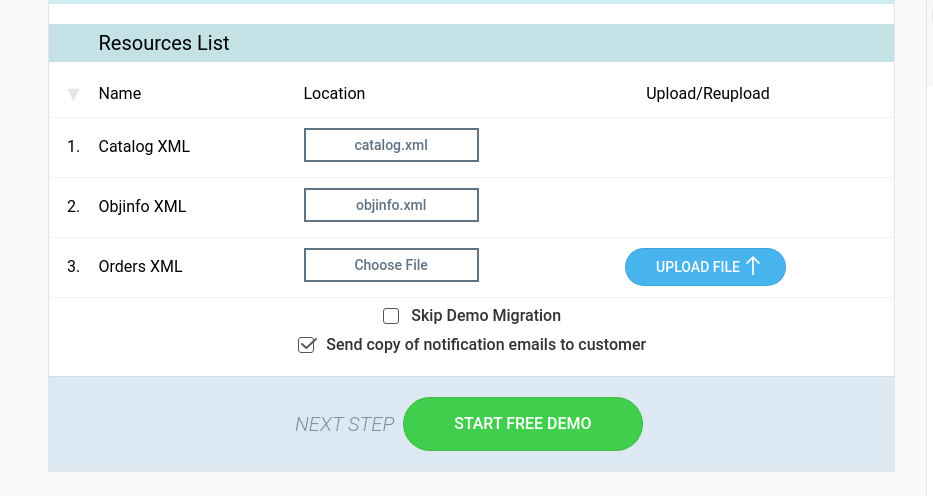
1. From the merchant Resources List / export tools that were available while the store was online, download any manual Orders exports you still need.
2. Catalog XML and Objinfo XML were typically collected automatically by Cart2Cart when a live connection still existed—recreate those only if you already have the files offline.
3. If you no longer have store access or files, recover data from backups or contact your former Yahoo/Aabaco host provider; Cart2Cart cannot reach a shut-down Yahoo admin.
4. Upload whatever CSV/XML files you have into the Cart2Cart Migration Wizard (file-based / CSV flow) or ask support which entities are still recoverable.
Historical screenshot (archived admin)
Example of the former Yahoo Store export UI (for reference only):
Migrating to a modern cart? See supported shopping carts and start a free demo.
Do you need help? Contact our support team
Just set up the migration and choose the entities to move – the service will do the rest.
Try It FreeDelegate the job to the highly-skilled migration experts and get the job done.
Choose Package