
How can we help you?
Cart2Cart can migrate Shopify product reviews when you select the Reviews entity and supply the review export. The default export path is the Air Product Reviews app. If you use a different reviews app, contact Support before you run the full migration.
Connect Shopify in the wizard
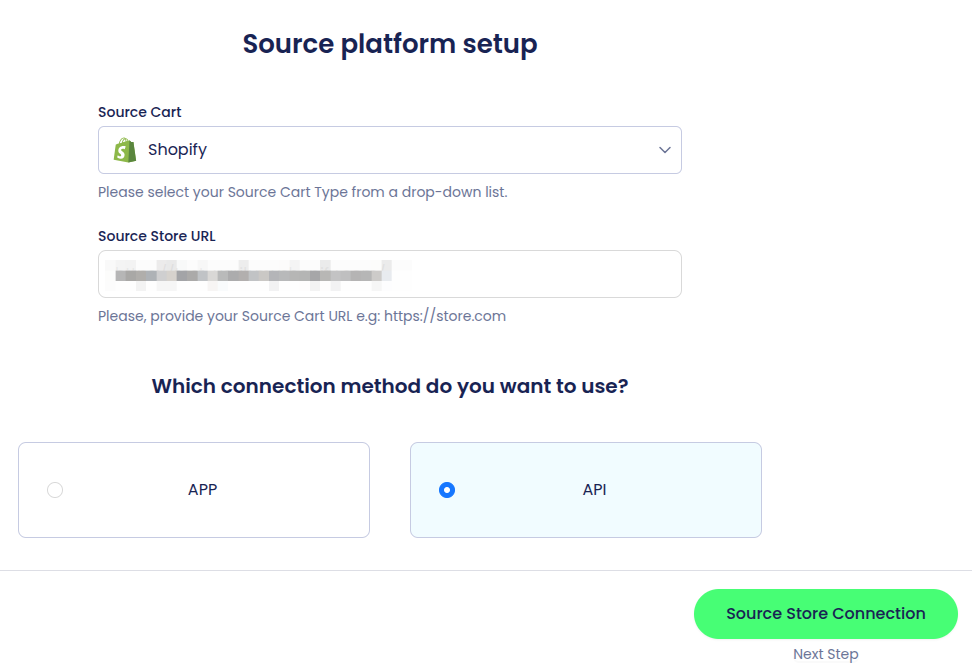
1. Open the Cart2Cart Migration Wizard and enter your Source store URL. Validate with an Admin API access token, or connect with the Cart2Cart Store Migration App. Accurate store credentials keep the rest of the data migration on track.
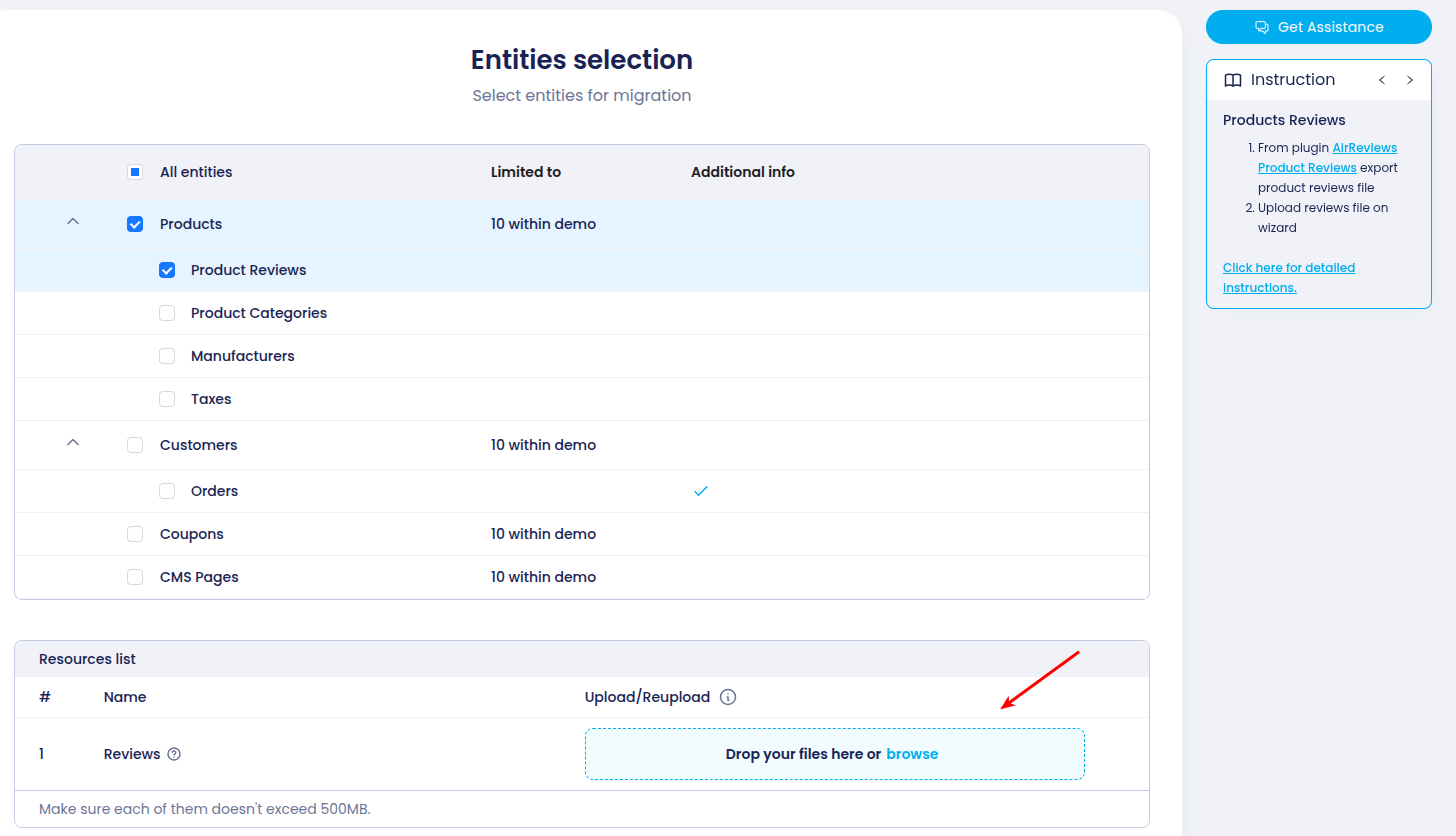
Select Reviews
2. On the Entities selection step, select Reviews. Cart2Cart supports exports from the Air Product Reviews App by default. If another reviews app is installed, contact Support so the file format can be checked.

Export from Air Product Reviews
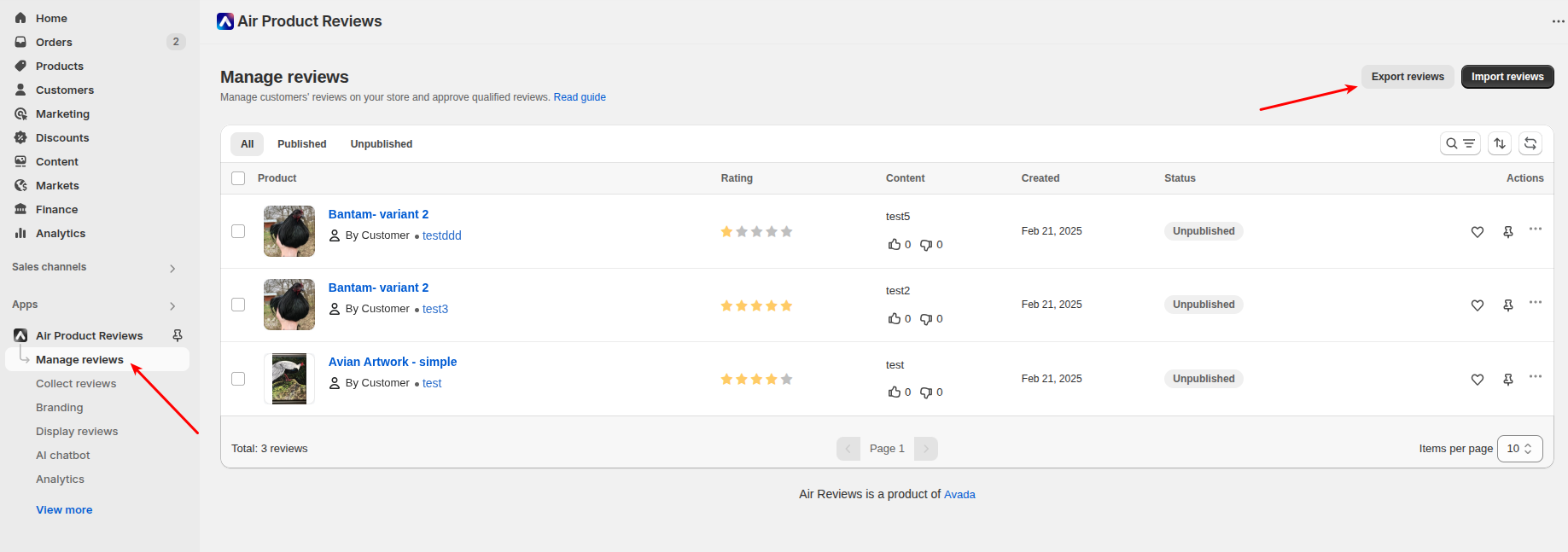
3. Open Shopify Admin.
4. Go to Apps and open Air Product Reviews → Export, then download the reviews file.
Upload the CSV
5. Upload the exported CSV in the Cart2Cart Migration Wizard, then continue the demo or full migration.
Start your free demo. For a store-specific reviews app, schedule a call with a Cart2Cart migration expert.
Do you need help? Contact our support team
Just set up the migration and choose the entities to move – the service will do the rest.
Try It FreeDelegate the job to the highly-skilled migration experts and get the job done.
Choose Package