
You may be wondering, why is WordPress better than Wix, but there is no simple choice between the two because they do different things. With Wix, hosting and tech support are included, but you can't build a large site. With WordPress, you can create large websites, but you are responsible for your own web hosting and need your own tech support.
Which is better - Wix or WordPress?
Wix vs WordPress: Ease of use
Wix was created with non-techies in mind. It is an easy drop-and-drag website builder that requires no technical expertise. WordPress has a steep learning curve, requiring technical know-how and careful planning.
Winner: Wix
Wix vs WordPress: Design options
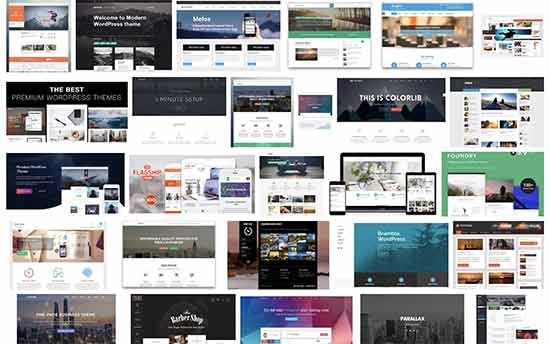
Wix gives you access to a library of hundreds of free templates. They are very appealing and come in different categories to cater to different industries. There are two drawbacks, though: once you have chosen a template, you can't change it and Wix is aimed at beginners, so those with advanced coding skills will find it limiting.

WordPress offers thousands of free themes and you can buy some from third parties, but it's recommended to only buy from WordPress-approved providers. You can start with a blank canvas can develop a completely original website. Just remember, this exercise requires serious coding skills.
Winner: There is no clear winner, it depends on what you want and the technical skills you have at your disposal.
Wix vs WordPress: Plugins and Apps
Wix comes with hundreds of apps to add functionality to your site. While this number doesn't compare with the hundreds of thousands of WordPress plugins, users have the peace of mind that these apps are tested and verified for quality.
WordPress has so many plugins because it is an open-source platform and any developer anywhere can create plugins for it. The problem with this is not all these developers or their apps are of reliable quality and sifting through so many apps is confusing. Ensuring quality and compatibility is vital, which is why services like migration customization can be beneficial.
Winner: If you only measure is quantity, then WordPress is the clear winner.
Wix vs WordPress for Ecommerce: Which one is better
Some of Wix’s paid plans to come with built-in eCommerce capabilities, like 50 + secure payment gateways, currency converter, free shipping or custom shipping rates, abandoned cart recovery, and more. However, Wix was not created to support large stores; it's best for first-time sellers and small businesses.
WordPress doesn't come with built-in eCommerce capabilities. If you want to sell from your WordPress website, you will have to use an eCommerce plugin. Woocommerce is the most popular solution for this purpose. Woocommerce can scale your website to handle any size store, but this comes at a price. For those needing comprehensive support with such transitions, our ultimate data migration service offers a complete solution. WooCommerce is also open source, so you'll have to pay for WordPress hosting, domain name, and theme. You can use free extensions to add shopping and shipping features, but the more scalable features can increase the costs considerably.
Winner: If your aim is to have an online store that you want to grow over time, WordPress has the features to make that possible. If you want to sell a few items, Wix is the better choice.
Wix vs WordPress: Support
Wix is for beginners and that is how the company treats its users: as complete beginners. Wix offers the complete support package:
- Phone support
- Social media support
- Community forum
- Email support
- Video tutorials
- 24/7 on-page editor support
- Help articles
The only support it doesn't offer is live chat, which is a pity.
WordPress assumes that you can code and leaves you to your own devices. Users have to depend on articles by other WordPress users and forums for support.
Winner: Wix
Wix vs WordPress: Blogging
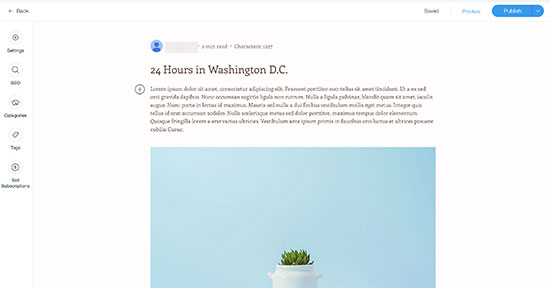
If you have a Wix website you can certainly have a blog on it. Wix offers all the basic features to enable blogging, supporting categories and tagging, and adding media like images, videos, and GIFs. It has a free library of media that bloggers can use.
However, Wix doesn't have an efficient comment functionality, and users may need to resort to installing third-party apps for a better option. Wix also uses a plain text editor for blogs, which doesn't enable many formatting options.
On the other hand, WordPress is the original go-to solution for bloggers. It was a blogging platform long before it became a website builder. WordPress has all the blogging features you will ever need, including a proper commenting system. You can use the WordPress Gutenberg block editor to design stunning layouts for your blog posts.

Winner: While Wix has everything you need to add a blog to your site, it doesn't compare to the advanced features of WordPress. For serious bloggers, we recommend WordPress.
Wix vs WordPress: Updates
Both Wix and WordPress have several updates a year. Wix updates are handled by in-house software engineers and the updates happen automatically for Wix users who don’t have to do anything about it. This is a great benefit for users who are not tech-savvy.
It's a different story for WordPress users, though. Whenever WordPress updates, you have to update your WordPress website as well. If you fail to do it, your site may stop working properly.
Winner: Wix wins this round as it causes much less hassle for users.
Note: look through the Cart2Cart Blog for useful tips & tricks on how to migrate data across various shopping cart solutions.
Wix vs WordPress: Pricing
Wix offers a wide variety of plans, from a free plan with basic features to premium business plans that can range into hundreds of dollars per month for advanced features.
The free plan is not worth considering since you are stuck with the Wix branding, plus you can't create a custom domain name, and you can't have a store on the free plan. Wix offers four eCommerce plans and four regular website builder plans. If you pay yearly, you can save between 8% and 30% per year, depending on the plan you select.
The general consensus online is that Wix is costly.
A WordPress site is free in the sense that it is open source software, which anyone can download for free. However, you need to pay for WordPress hosting. Hosting can be around $10-$30 per month for a small site or around $50-$150 per month for managed WordPress hosting.
Costs add up though because you also have to pay for your domain name (from $15), WordPress themes, and plugins for additional functionality (from $50 – $200+ per plugin). To handle these costs add up, consider options that offer peace of mind.
Winner: There is no out-and-out winner. Wix is expensive and costs add up if you want more functionality. The same with WordPress. If you don't need to employ a developer for your WordPress website WordPress is the more flexible option. However, you'll have to go slow on adding plugins!
FAQs
Which is easier to set up, Wix or WordPress?
Wix is faster to set up and easier to use.
Is Wix or WordPress better for SEO?
WordPress is better for SEO as it offers users SEO plugins and tools.
Which one is better for Blog Wix vs WordPress?
When it comes to WordPress vs Wix for blogging - WP is far superior. Wix blogging features are basic while WordPress offers you everything you could possibly need for a powerful blog website.
Is Wix better than WordPress?
Wix is a fine website builder that is easy to use, but WordPress is far superior as a web publishing platform.
Are you planning to migrate your store? If you're considering moving from Wix to a more scalable platform like WordPress with WooCommerce, the Cart2Cart Shopping Cart Migration tool can accomplish it for you with no fuss. Ours is an advanced automated migration tool that transfers all your data to another platform quickly and securely.
Monthly Update – March 2026
As we move into March 2026, the landscape of eCommerce continues to prioritize agile and data-driven solutions. For merchants weighing Wix against WordPress, a key trend to consider is the increasing importance of headless commerce architectures. While Wix offers a streamlined, all-in-one experience, its tightly coupled front-end and back-end can limit flexibility for businesses seeking to deliver highly customized user experiences across multiple channels or integrate with advanced third-party tools. WordPress, particularly when paired with WooCommerce and a headless setup, provides a powerful and adaptable foundation. This approach allows businesses to use WordPress for content management and eCommerce functionality while delivering content to any front-end (web, mobile app, IoT device) via APIs. This decoupling enhances performance, scalability, and design freedom, crucial for staying competitive in a fast-evolving digital market. For those planning future expansions or aiming for peak performance and bespoke customer journeys, investing in a platform like WordPress that supports a headless strategy can be a game-changer, ensuring your online store remains future-proof and highly responsive to market demands.
For more details, explore our FAQ section or schedule a call with a migration expert.



