
How can we help you?
What are the Connection Bridge files and how to download them?
Connection Bridge files are essential for establishing a secure connection between your shopping carts, enabling seamless data exchange during your eCommerce data migration with Cart2Cart. These files act as secure gateways, protected by unique Security Tokens linked to your personal account and provided by Cart2Cart. For the Connection Bridge to function correctly, the bridge2cart folder must be located in your store’s root directory.
During the "Setting Up" step of the Migration Wizard, you'll be prompted to provide the URLs for your Source and Target shopping carts. You'll also need to download the Connection Bridge files. This download is required only for self-hosted carts such as Magento, WooCommerce, and PrestaShop. For hosted platforms like Shopify and BigCommerce, you'll typically provide API information instead.
The following video demonstrates the Connection Bridge installation process for Magento, but the steps are generally applicable to all self-hosted shopping carts.
How to Install the Connection Bridge for Your Data Migration
The Connection Bridge installation procedure using FileZilla FTP client is the same for macOS, Windows, and Linux users.
There are two methods for setting up the Connection Bridge: manual and automatic. The manual method is the default option.
Manual Connection Bridge Installation:
1. Download Connection Bridge files. After entering your Source/Target store URL, download the Connection Bridge zip file and extract it to your computer.
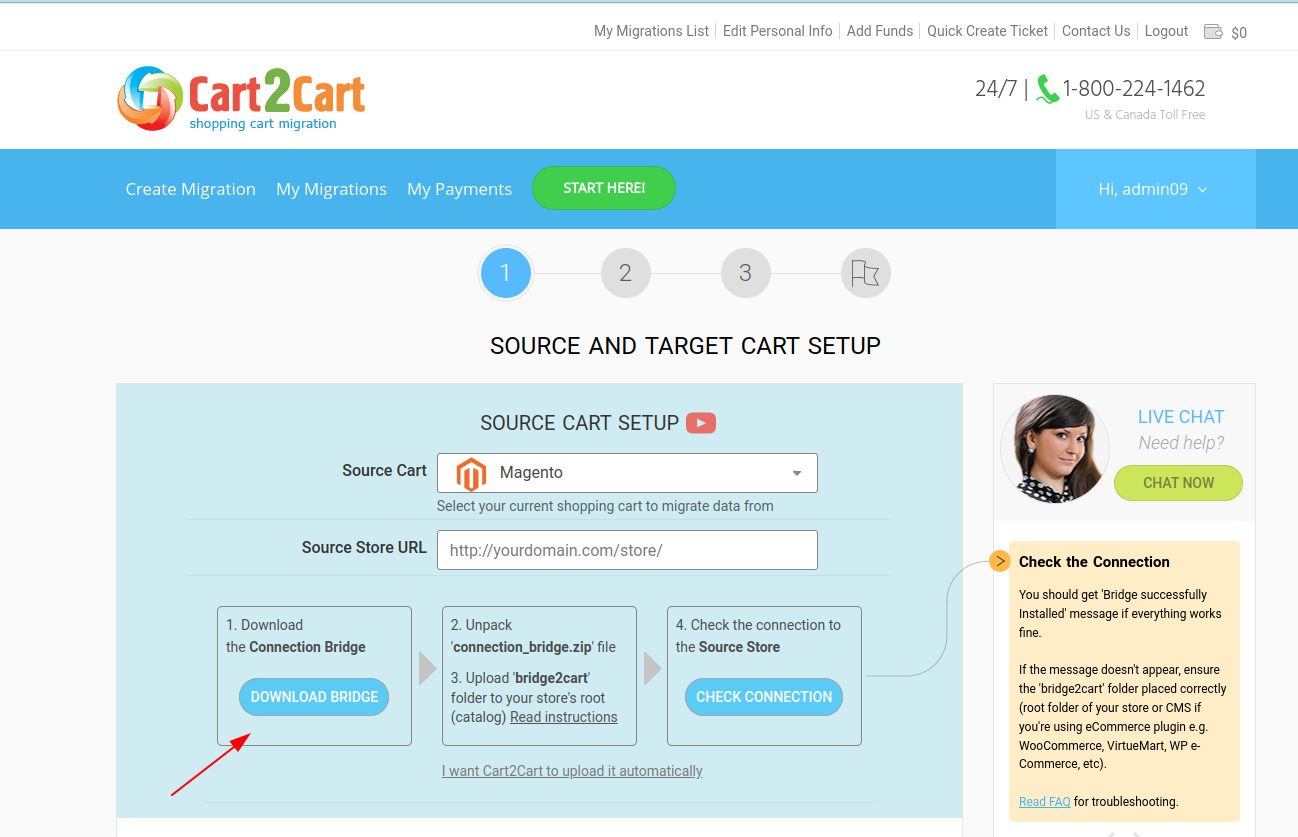
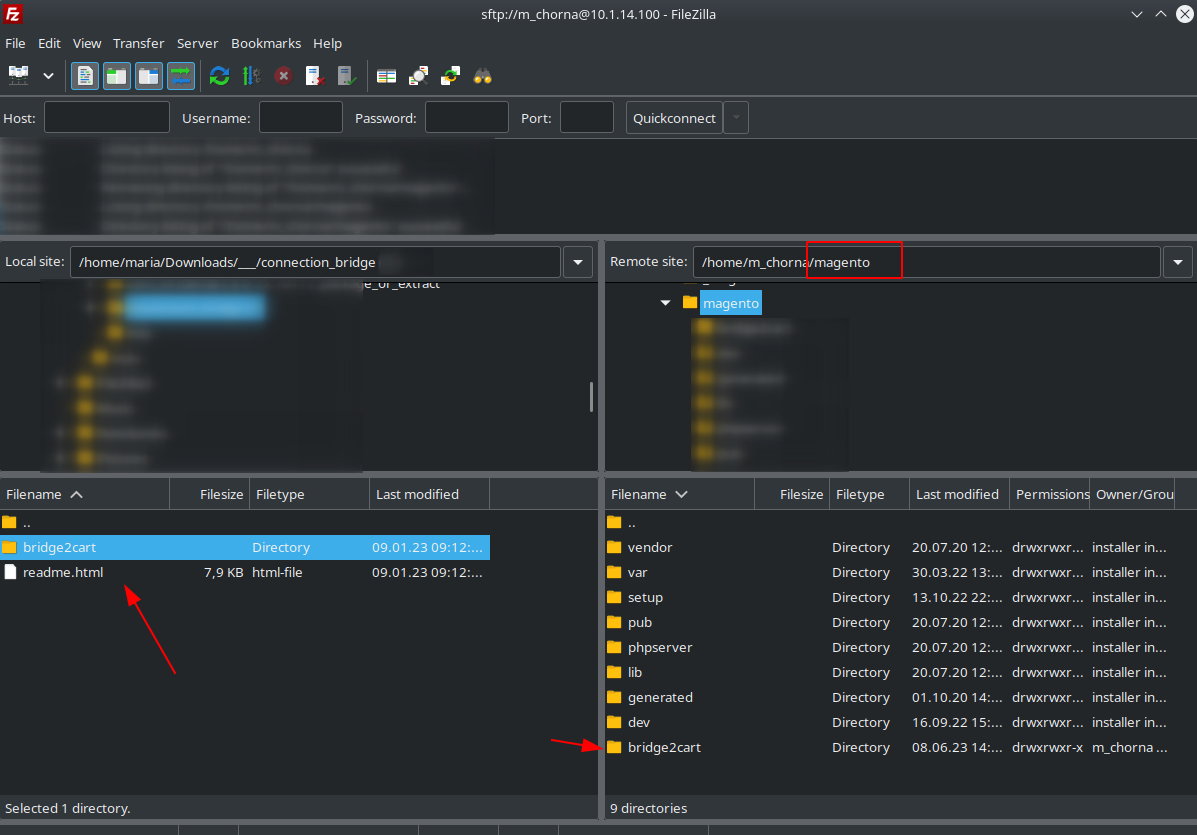
2. Upload the bridge2cart folder to your Source/Target store via FTP. Using your preferred FTP client (e.g., FileZilla, WinSCP), navigate to the root folder of your store and upload the bridge2cart folder you extracted from the zip file.
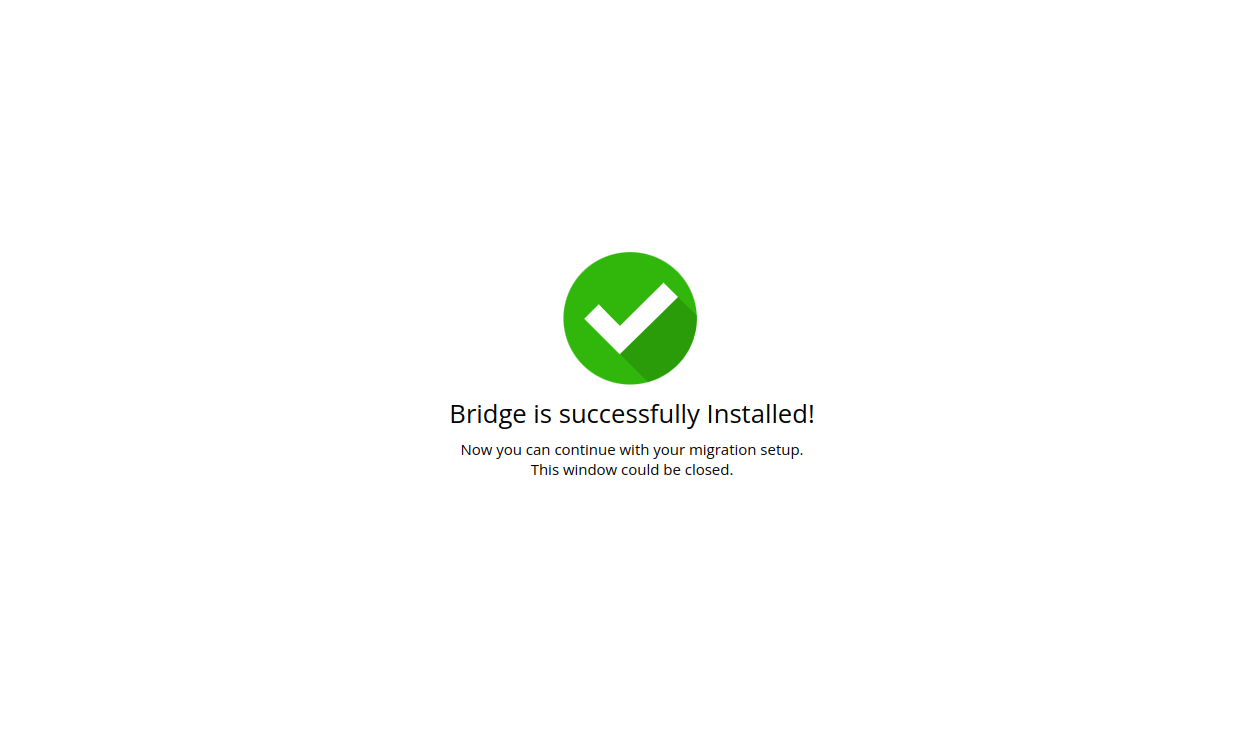
3. Verify the Connection Bridge installation. Click the confirmation link provided to ensure the Connection Bridge is set up correctly.
If you see the message "BRIDGE_INSTALLED," the Connection Bridge is working and you can proceed to the next step: Entities Selection.
Automatic Connection Bridge Installation:
Provide your FTP details: host, port (if different from "21"), login, password, and the path to your store's folder.
The fields should be filled in similar to the following examples:
- Host: 10.4.5.24
- Port: 72 (or skip if your port is 21)
- Login: User
- Password: 555222
- Path: /path/to/your/store (or skip if your store is located directly in the "home" folder)
Troubleshooting Manual Connection Bridge Setup for Data Migration
Q: I'm clicking the link, but the "BRIDGE_INSTALLED" message doesn't appear. What should I do?
A: Try re-uploading the Connection Bridge files and setting the appropriate permissions:
1. Set the permissions to 755 or 777 for the "/bridge2cart" folder, depending on your server configuration. In FileZilla, right-click the bridge2cart directory, select "File permissions," and enter the necessary value.
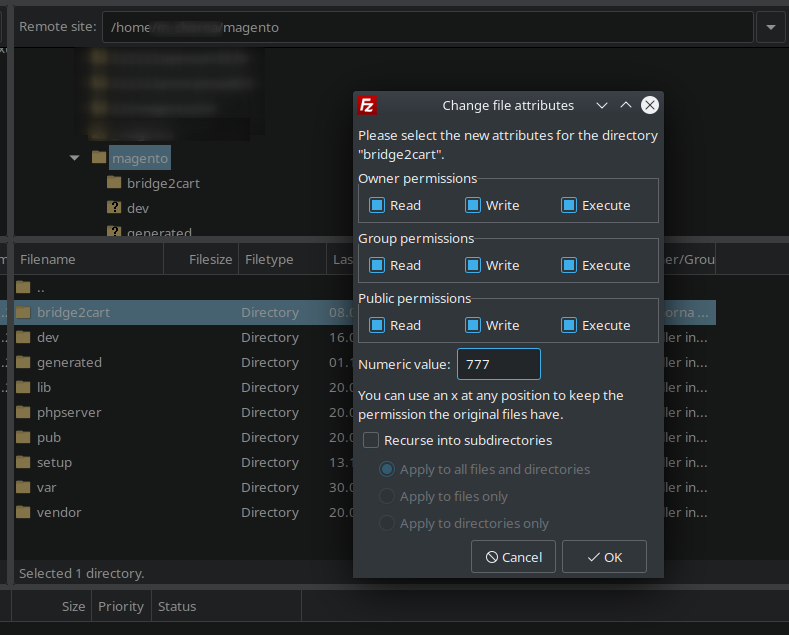
2. Set the permissions to 644 (if "/bridge2cart" folder permission is set to 755) or 666 (if "/bridge2cart" folder permission is set to 777) for "bridge.php". Open the bridge2cart folder, right-click on bridge.php, select "File permissions," and set the necessary value.
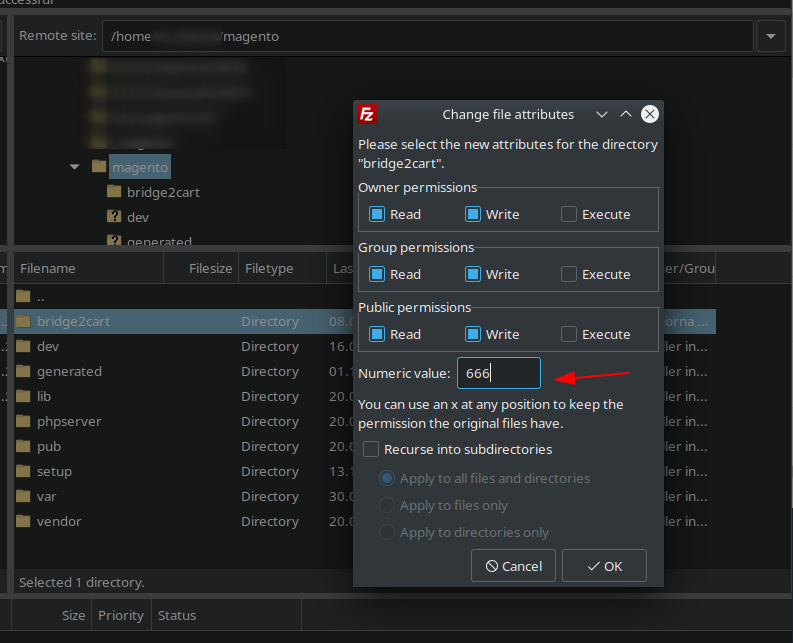
If you're using a different FTP client, adjust the permissions accordingly.
Q: It's still not working!
A: Don't worry! Your issue is likely easily resolved. Please describe your problem in detail and submit a ticket to our Support Team for assistance.
Is the Connection Bridge Secure?
The Connection Bridge's sole purpose is to facilitate data exchange. By installing it, you allow our service to copy the data you want to migrate to your target store; we do not modify your data.
Each Connection Bridge includes a unique Security Token, preventing unauthorized access to your source store database.
You can safely delete the Connection Bridge after the migration is complete.
Note! We strongly recommend turning off website redirects to ensure the Connection Bridge files function correctly. Visit http://[yourstore url]/bridge2cart/bridge.php to check if redirects need disabling. If the link redirects you, disable redirects in your .htaccess file (usually located in your "shop" folder).
Please, do not remove Connection Bridge files from your FTP during the data transfer process. Otherwise, we can't guarantee proper migration results. You will be able to delete Connection Bridge files right after your store migration is over.
Ready to migrate your store? Start your free demo now!
Do you need help? Contact our support team
Just set up the migration and choose the entities to move – the service will do the rest.
Try It FreeDelegate the job to the highly-skilled migration experts and get the job done.
Choose Package